Get to work. Migami notices.
Mark your sites on the map once. Rock up to work and Migami offers your usual shift. You always check it and log it yourself.


FOR WORKING ON AN ABN IN AUSTRALIA
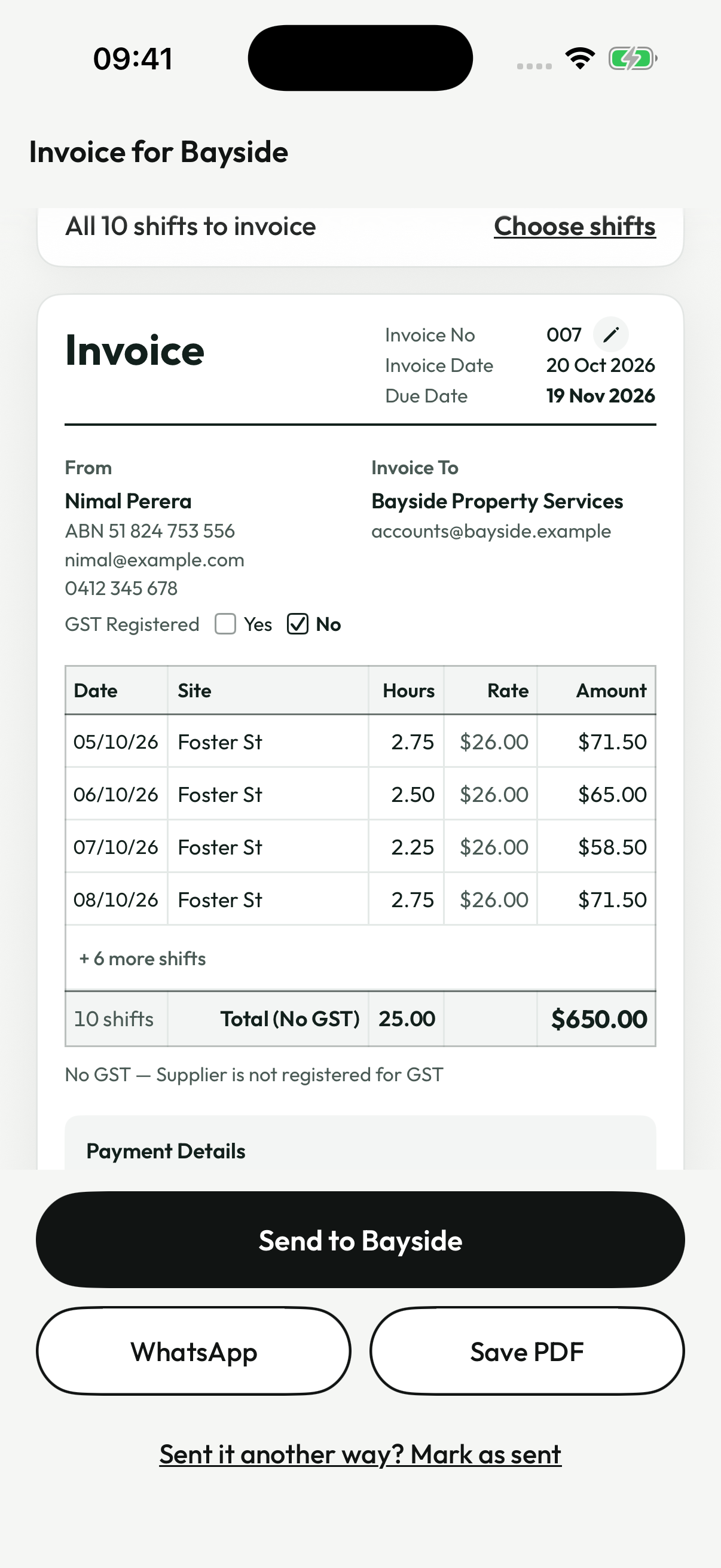
Turn your shifts into a proper invoice.
Send it. Track it. Get on with your life.
Made for iPhone · No account to make

LESS ADMIN. MORE OF YOUR LIFE.
You've done the shifts. You shouldn't have to spend Sunday night sorting the paperwork. Log your days and Migami puts the invoice together.
TRY IT OUT
Have a go with a sample contractor. Nothing gets saved.
Dandenong Civic Centre · A$28/h · Usual shift 2.5 h
Have a go. Sample contractor and shifts — nothing gets saved.
ROCK UP. CHECK IT. LOG IT.
Mark your sites on the map once. Rock up to work and Migami offers your usual shift. You always check it and log it yourself.
Tap any shift that ran long and add the extra time before you log it. It goes on the invoice.
Migami knows your usual days, so a day with nothing logged shows up as a gap.
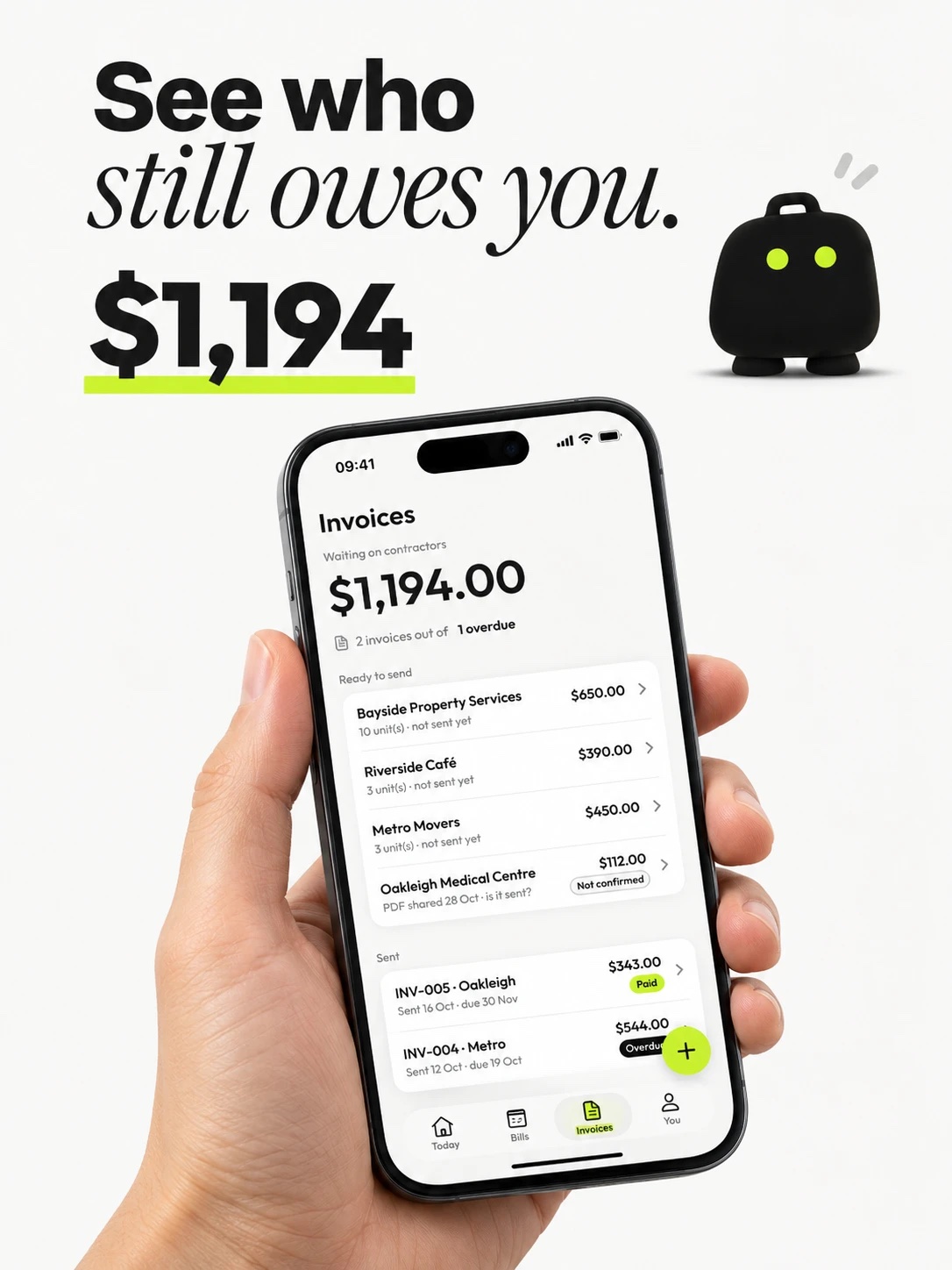
What's ready to send, what's waiting and what's overdue. Mark it paid when the money lands.
Registered for GST? Turn it on and Migami makes tax invoices with GST added.
English, සිංහල, हिन्दी, தமிழ், नेपाली, Filipino and Português. Your invoice stays in English.
THE WORK IS ALREADY THERE.
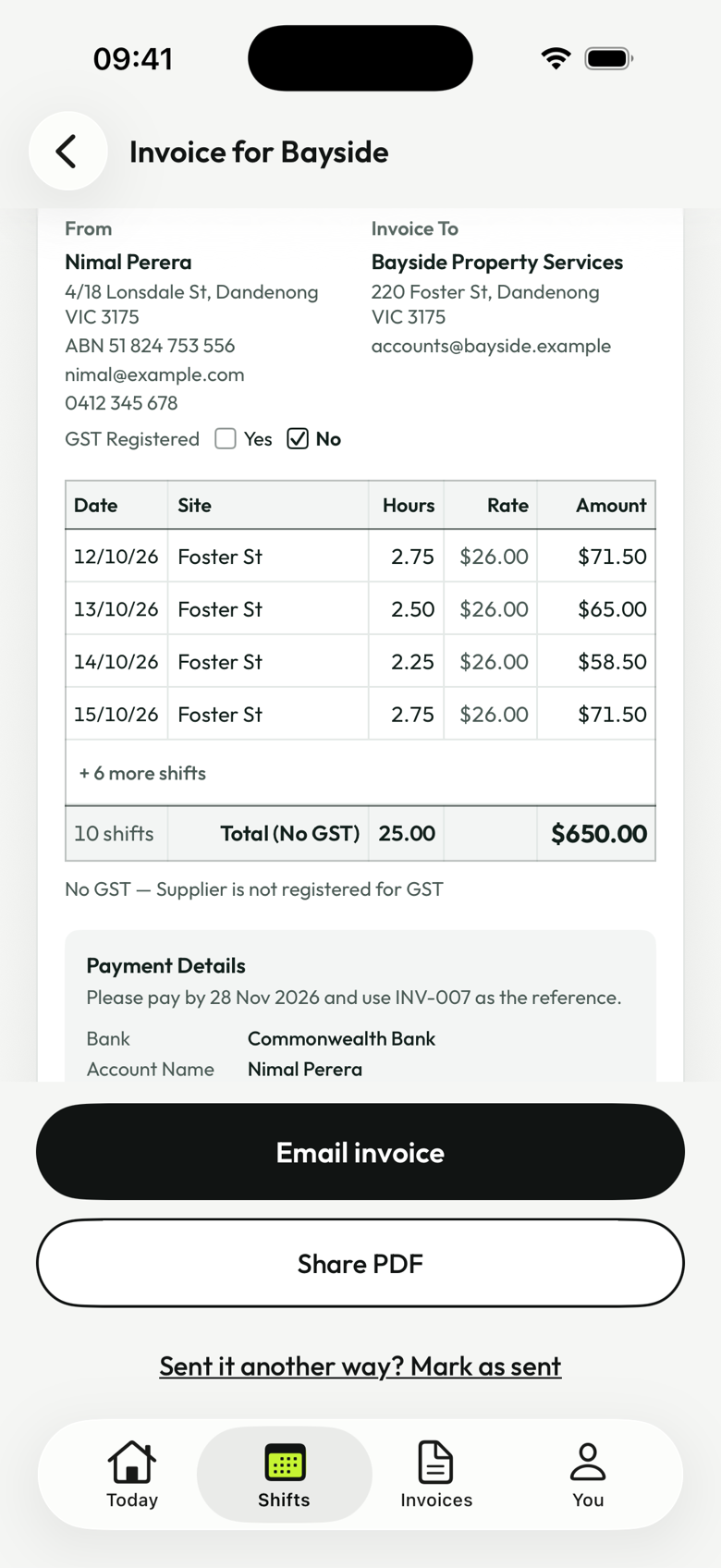
Your shifts land under the right contractor, on the invoice layout contractors already know.
MADE FOR THE WAY YOU WORK HERE.
Cleaning in Melbourne. Moving in Sydney. A shift down the road. Wherever work takes you, keep your hours and invoices together.

A few sites a week, each shift on the right contractor's invoice.

Long days that ran over, with the extra time added.

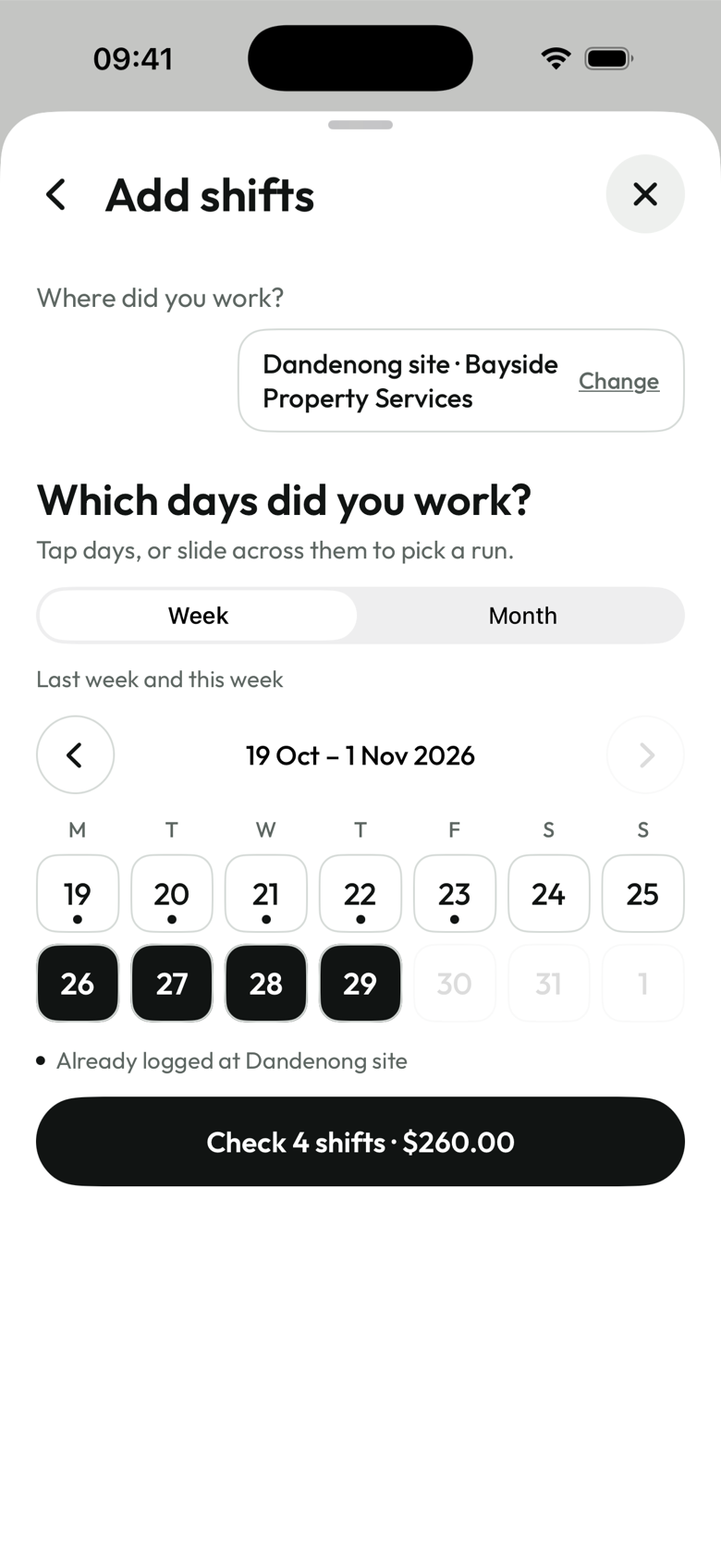
A whole week of shifts logged in one go.

Late finishes counted, and an invoice that's easy to send.
YOUR BUSINESS STAYS YOURS
No account to make. No analytics. Your shifts, invoices and where you've been stay on your phone. Migami doesn't move your money or connect to your bank: your contractor pays you straight.
ONE PLAN. EVERYTHING IN.
Log shifts, send invoices and keep track of who's paid. All of Migami, with a 14-day free trial for eligible new subscribers.
iPhone subscription · Prices in Australian dollars. Final price and trial eligibility are shown by the App Store.
A$59.99 billed annually after your free trial.
Available now on iPhone. Get it on the App Store. An active subscription is required after the trial.
After the eligible 14-day trial, A$59.99/year or A$6.99/month. Renews automatically. Cancel in Apple Account settings at least 24 hours before the trial ends to avoid being charged, or before your next renewal.
GOOD QUESTIONS.
People who work on an ABN in Australia and invoice by the hour: cleaners, removalists, labourers, hospo workers and more. If you're still working it all out in a spreadsheet, you're in the right place.
No. Site detection notices arrival and departure and offers your usual shift as a prompt. You confirm every shift and add extra time yourself.
Yes. You can add one shift or a whole week manually without enabling location access.
If you're registered for GST, turn it on in your details. Migami creates tax invoices with GST added. Otherwise your invoices show that you're not registered for GST.
Your invoice includes your bank details so the contractor can pay you. Migami doesn't move money or connect to your bank. You mark the invoice paid when it arrives.